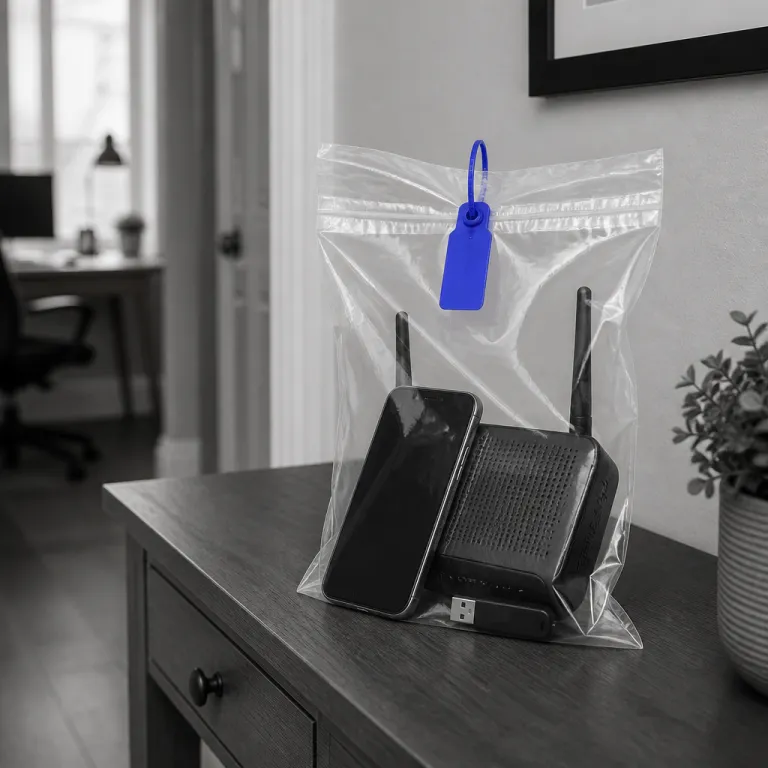
Why your 2021 BYOD playbook fails the modern home office
Most organizations still run a bring your own device approach that was written for a slower threat landscape. Attackers now automate initial access so efficiently that the handoff from compromise to lateral movement happens in seconds, while legacy BYOD policies still assume you have hours to react. A BYOD security policy for remote workers in 2026 that looks like a lightly edited pandemic document is not a policy, it is an unmanaged liability.
The core problem is that those early guidelines treated any personal device as a temporary exception rather than a permanent endpoint in the corporate perimeter. Remote work has turned employees’ personal laptops, tablets, and every mobile device into long‑lived access points for company data, yet many organizations still rely on basic passwords and unenforced rules. When devices are handled this way, every employee home office becomes an unmonitored branch office with sensitive data sitting next to streaming apps and gaming accounts.
Security teams now face adversaries who chain AI‑powered phishing, token theft, and session hijacking against remote workers at scale. Modern incident reports such as the Verizon Data Breach Investigations Report (for example, the 2024 DBIR notes that stolen credentials remain a top action in breaches) and CISA advisories on remote access vulnerabilities consistently show that compromised credentials and remote access paths are leading causes of breaches. Legacy device BYOD rules rarely mention passkeys, phishing‑resistant authentication, or Zero Trust Network Access, even though these are now table stakes for secure remote access. If your BYOD security documentation does not explicitly define how personal devices connect, how corporate data is segmented, and how remote wipe is executed, then your company has accepted silent risk without a compensating control.
Look at your current BYOD policy and ask one blunt question. Does it assume the employee is on a trusted network, using a mostly trusted device, and accessing a small set of systems? If the answer is yes, then your policy is architected for a world where remote work was a perk, not the default fabric of how employees work and how devices interact with corporate systems.
The minimum viable BYOD security baseline for modern endpoints
A credible BYOD security policy for remote workers in 2026 starts with non‑negotiable device enrollment. Every personal device that touches company data must be registered, tagged, and brought under centralized device management before it gets any access at all. That means you treat personal devices as first‑class corporate endpoints, not as mysterious black boxes that happen to connect over a VPN.
Modern management usually means a mobile device management platform or a unified endpoint management stack such as Microsoft Intune, VMware Workspace ONE, or Jamf. These tools enforce policies for encryption, screen lock, operating system versions, and automatic patching, and they give security teams the power to run remote wipe on lost or stolen devices without touching employees’ personal files. When you combine MDM with Zero Trust Network Access instead of a flat VPN, you can restrict access to specific applications and data sets rather than trusting the entire network path, and you can use a structured evaluation framework such as the one described in this analysis of ZTNA versus VPN for remote teams.
Minimum viable does not mean minimal effort. It means your BYOD guidelines define clear device onboarding steps, mandatory endpoint detection and response agents, and explicit rules for how remote workers authenticate into critical systems. A strong policy also clarifies how hybrid work employees move between home and office networks, which devices are permitted in each context, and how corporate data is logged, monitored, and retained for compliance.
From a governance perspective, the company must state which categories of sensitive data can never live on a personal device, even temporarily. That line might include regulated health records, payment card information, or confidential product roadmaps, and it should be backed by technical controls that block downloads or enforce in‑browser access. A simple example clause looks like this: “Protected health information (PHI), cardholder data, and source code for production systems must only be accessed via approved corporate applications and may not be stored locally on personally owned devices.” When organizations align written policies with hard technical guardrails, the BYOD security policy for remote workers in 2026 becomes an operational system rather than a compliance document that nobody reads.
Personal device versus corporate laptop: the real cost of risk
Security leaders often frame the bring your own device debate as a cost‑saving measure. Buying and shipping a corporate laptop to every employee feels expensive, while letting employees’ personal devices handle remote work seems flexible and efficient. That framing ignores the financial and operational blast radius when a single unmanaged device leaks corporate data from a home office.
When you model the risk properly, the economics shift quickly. A mid‑sized company that faces an average of one thousand remote‑work‑related attack attempts per month is not dealing with hypothetical threats, it is managing a constant stream of probes against every device that touches its systems. If even one of those devices operates outside your device management stack, your BYOD policy has effectively delegated security to the employee, who is juggling family life, deadlines, and maybe a home router that has not been patched in years.
There is a pragmatic middle ground. For roles that handle highly sensitive data or privileged access, issue a hardened corporate device and prohibit personal devices entirely, while for lower‑risk roles you can allow a personal device under strict MDM enrollment and remote wipe consent. In both cases, the BYOD security policy for remote workers in 2026 must spell out who gets what, how company data is separated from personal data, and what happens when an employee leaves or a device is lost.
Operationally, this means your policies should define clear tiers. Tier one might be finance, legal, and security staff who only use corporate devices, while tier two could be general employees who use personal devices under a BYOD framework with strong controls, and tier three might be contractors with highly constrained browser‑based access as described in secure access playbooks such as this guide on secure account access for remote work. A simple, copy‑pasteable enrollment flow for tier‑two users could be: “1) Sign the BYOD consent form. 2) Install the company MDM agent from the internal portal. 3) Enable full‑disk encryption and a six‑digit PIN or longer passphrase. 4) Register a phishing‑resistant authentication method (for example, hardware security key or platform passkey). 5) Confirm a successful compliance check in the MDM console before accessing corporate applications.” When you align device decisions with data sensitivity and access levels, you stop arguing about hardware budgets and start reasoning about quantified risk.
Home networks, fragile perimeters, and what you can actually control
The modern home office is a hostile network masquerading as a living room. Security teams cannot realistically harden every employee router, smart television, and game console, yet incident data from sources such as the Verizon DBIR and national CERT reports shows that attacks on home routers, VPNs, and other remote access paths are steadily increasing. A BYOD security policy for remote workers in 2026 that assumes the home network is trustworthy is already out of date.
What you can control is the security posture of every device that touches corporate data. That means enforcing strong authentication, hardening operating systems, and routing all corporate traffic through monitored channels, while treating the rest of the home network as untrusted. It also means your BYOD standards should require employees to segment their Wi‑Fi where possible, placing work devices on a separate network from personal streaming boxes and children’s gaming laptops, and you can support this with simple configuration guides rather than unrealistic mandates.
You also control how resilient your own infrastructure is when those fragile edges fail. If your remote access stack depends on a single VPN concentrator or a single data center, then a home office outage can cascade into a company‑wide disruption, which is why many organizations now invest in redundant architectures such as N+1 uninterruptible power systems and geographically distributed access gateways, as explained in this analysis of parallel redundant N+1 UPS systems for remote work. When your core systems stay online and your access controls are granular, a compromised personal device becomes a contained incident rather than a full‑scale crisis.
From a policy standpoint, you should be explicit about what you will and will not inspect on employees’ personal networks. State clearly that you monitor corporate data flows and access logs, not private browsing on non‑work devices, and back that up with transparent documentation and privacy‑aware tooling. A concise example SLA you can adopt is: “For any reported lost or stolen BYOD endpoint with access to company data, security operations will initiate remote wipe within 30 minutes and revoke all active sessions within 15 minutes of notification.” When employees understand that the company cares about both security and their personal boundaries, they are more likely to enroll devices promptly, report suspicious activity, and treat remote work security as a shared responsibility rather than an imposed burden.
Compliance, metrics, and turning BYOD from liability into routine
Regulators do not care whether a breach started on a corporate laptop or a personal device. If sensitive data is exposed from a home office, your organization still faces the same questions under frameworks such as SOC 2, HIPAA, and GDPR, and your BYOD policies will be examined line by line. A BYOD security policy for remote workers in 2026 must therefore treat compliance as a design constraint, not as an afterthought.
That starts with clear data classification and access mapping. You should know which employees handle which categories of corporate data, which devices work with those systems, and which controls enforce least‑privilege access, and you should be able to show auditors that your device management stack can execute remote wipe, revoke tokens, and log every privileged action. When your BYOD policy maps directly to technical controls, you can demonstrate that personal devices are governed by the same security standards as corporate devices, even if the hardware belongs to the employee.
Metrics matter here. Track BYOD statistics such as the percentage of remote workers enrolled in MDM, the number of unmanaged devices blocked per month, and the mean time to revoke access when an employee leaves, and treat those numbers as operational KPIs rather than vanity metrics. Industry surveys from organizations like (ISC)² and ISACA consistently report that a large majority of IT and security specialists say remote work has reshaped the threat landscape and that a meaningful share of ransomware incidents now originate from home offices, which reinforces why these metrics must drive real decisions instead of living only in reports.
The practical test is simple. At five in the afternoon on a Friday, when an employee reports a lost personal device that had access to company data, your team should know exactly which playbook to run, which systems to lock down, and which logs to review. That is not the policy deck, that is the lived reality of BYOD security for remote work, and it is the difference between a contained incident and a weekend spent explaining preventable gaps to your executive team.
FAQ
How strict should a modern BYOD policy be for remote workers ?
A modern BYOD policy for remote workers should be strict on controls but flexible on hardware choice. Require device enrollment into MDM, enforce encryption and strong authentication, and define clear rules for which data can be accessed from personal devices. Give employees options on platforms and form factors, but never on baseline security requirements.
Can we rely only on VPNs to secure personal devices used for work ?
Relying only on VPNs is no longer sufficient for securing personal devices. VPNs create a broad trusted network segment, which increases blast radius if a device is compromised, while Zero Trust Network Access limits access to specific applications and data. A robust BYOD security policy should combine endpoint hardening with application‑level access controls rather than trusting the entire network path.
How do we balance employee privacy with corporate security on BYOD ?
Balancing privacy and security starts with transparency about what is monitored and why. Use MDM configurations that separate corporate and personal data, collect only work‑relevant telemetry, and document that you do not inspect personal content or non‑work applications. Communicate these boundaries clearly in the BYOD policy and during onboarding so employees understand both protections and obligations.
When is it better to issue a corporate laptop instead of allowing BYOD ?
Issuing a corporate laptop is usually better for roles that handle highly sensitive data or have elevated access rights. Finance, legal, security, and engineering staff with production access often fall into this category, because the impact of compromise is much higher. For lower‑risk roles, BYOD can be acceptable if devices are enrolled in MDM and governed by strong technical controls.
What are the first steps to modernize an outdated BYOD policy ?
The first steps are to inventory all devices accessing corporate systems, classify the data they touch, and identify unmanaged endpoints. From there, define mandatory device enrollment, choose an MDM or unified endpoint management platform, and update your policy to include Zero Trust principles, remote wipe procedures, and clear offboarding steps. Test the updated policy with a small group of remote workers before rolling it out company‑wide to refine workflows and communication.