Why AI phishing is the defining remote work security threat
AI phishing as a remote work security threat is no longer a niche concern. Large language models generate emails that mirror internal tone, reference real projects, and exploit gaps in security awareness among remote employees. For IT leaders, the shift from clumsy scams to context rich messages changes how data, access, and work security must be governed across distributed work environments.
Traditional phishing relied on spelling errors, odd phrasing, and generic threats that vigilant workers could often spot. LLM powered attacks now scrape social media, collaboration tools, and public repositories to tailor messages to specific employees, remote workers, and even particular teams inside organizations. When those messages arrive on personal devices connected to home networks, the line between personal and corporate data blurs, and the security risks multiply in real time.
Remote work amplifies these threats because remote employees rarely have the quick shoulder tap verification that office workers use to validate suspicious requests. Instead, they operate across fragmented networks, juggling multiple tools and software stacks, often with remote access to critical systems from unmanaged devices. That combination of autonomy, speed, and isolation makes AI phishing the most operationally relevant cybersecurity threat for any remote workforce that depends on email, chat, and browser based tools to get work done.
How LLM phishing exploits remote work behaviors and tools
LLM generated phishing attacks are built to mimic the rhythms of remote work, not just the language of corporate emails. Attackers study collaboration tools, ticketing systems, and remote access workflows, then craft messages that align perfectly with how workers expect security or IT to communicate. A fake VPN renewal notice or a fabricated factor authentication reset request can look identical to a real time alert from your own software stack.
For remote employees, the pressure to keep work moving often overrides caution, especially when messages reference urgent data breaches, insider threats, or delayed payments. AI phishing campaigns now chain multiple messages across different networks and channels, starting with a friendly check in on chat and escalating to a high stakes security request by email. Because these threats are tuned to specific work environments and tools, they bypass generic awareness training that focuses on outdated examples of phishing attacks.
Security teams must also account for the role of third party vendors and outsourced IT in this new threat model. A remote workforce supported by external help desks or regional partners faces additional security risks when attackers spoof those partners. When workers cannot easily distinguish between internal and third party communications, AI phishing becomes a systemic threat to data, access, and overall work security across the organization.
Rewriting the threat model for home offices and personal devices
The classic perimeter based security model assumed that most work happened on corporate networks and managed devices. Remote work shattered that assumption, and AI phishing now exploits the resulting gaps between home routers, personal devices, and cloud based tools. For IT and cybersecurity leaders, the threat model must start at the home office, not the data center.
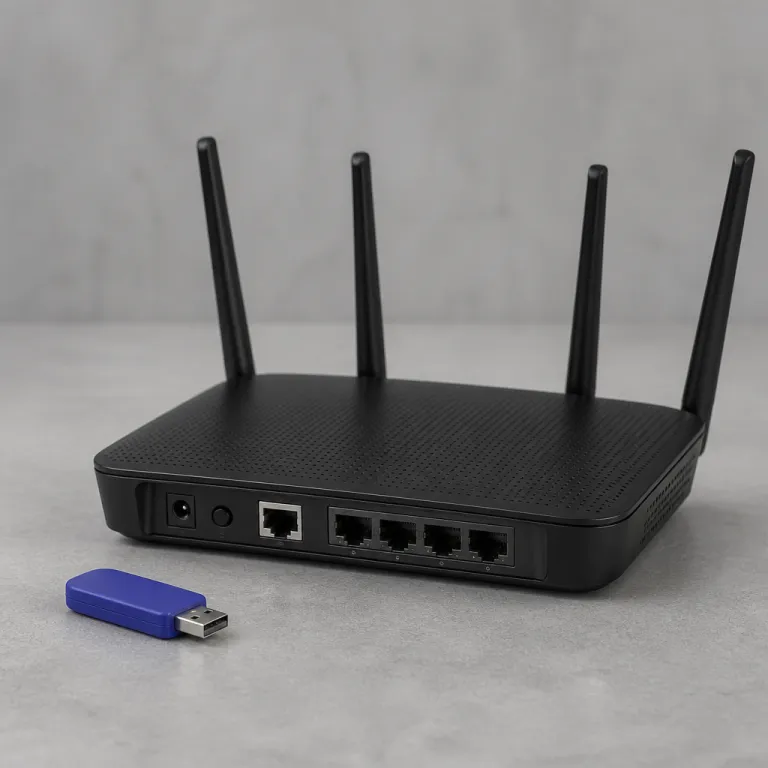
Home networks are often shared with gaming consoles, smart televisions, and unsecured Internet of Things devices that expand the attack surface for organizations. When remote workers connect to critical systems through weakly configured routers, attackers can pivot from a single compromised device to broader networks, escalating from credential theft to full data breaches. This is why many teams now pair zero trust access controls with carefully planned data center relocation services for remote teams, ensuring that sensitive workloads sit behind modern controls even when users are fully remote.
Personal devices introduce another layer of insider risk and insider threats, especially when employees mix personal email, social media, and corporate tools on the same laptop or smartphone. A single AI phishing message sent to a private inbox can still harvest credentials that unlock remote access to corporate software, networks, and sensitive data. The updated threat model must therefore treat every remote employee, every home office, and every unmanaged endpoint as a potential entry point for AI driven attacks that unfold in real time.
Defensive stack: AI filters, behavioral analytics, and secure browsers
Defending against an AI phishing remote work security threat requires more than another awareness slide deck. Security teams need layered tools that combine AI powered email filtering, browser isolation, and behavioral analytics tuned to remote work patterns. The goal is not perfect prevention, but rapid threat detection and containment before attacks spread across networks and work environments.
Modern secure email gateways now use machine learning to flag subtle anomalies in sender behavior, message structure, and link destinations, even when language quality is flawless. When paired with browser isolation, suspicious links open in disposable containers that protect devices, data, and internal networks from drive by attacks or credential harvesting pages. These tools reduce the blast radius when remote workers inevitably click on something that looks legitimate, especially during busy periods of work.
Behavioral analytics platforms add another layer by modeling normal access patterns for remote employees and remote workers across different time zones and roles. When a compromised account suddenly initiates unusual remote access, downloads large volumes of data, or probes new software systems, automated controls can trigger step up factor authentication or session termination. Over time, organizations that integrate these best practices into their cybersecurity architecture build a defensive posture that assumes AI phishing will succeed occasionally, but refuses to let a single click become a full blown threat to work security.
Incident response in the first 60 seconds after a click
When a remote employee clicks on an AI phishing link, the first minute defines the outcome. Attackers often automate credential theft, lateral movement, and data exfiltration, turning a single mistake into a multi stage threat in seconds. Security teams must therefore design incident response playbooks that operate in real time, not on the next business day.
Effective playbooks start with clear guidance for workers on what to do immediately after they suspect a phishing attack. A practical 60 second sequence might include disconnecting from Wi Fi, closing the browser tab without entering further data, capturing a screenshot of the message, and reporting the incident through a dedicated security channel. On the back end, security operations centers need automated workflows that can revoke tokens, reset factor authentication, and quarantine devices or sessions based on predefined rules.
Organizations that support a large remote workforce should also invest in centralized logging and rapid threat detection across email, identity providers, and endpoint software. When a phishing campaign targets multiple employees simultaneously, analysts must correlate events across networks and work environments to distinguish isolated insider risk from coordinated attacks. The objective is simple but demanding, because the AI phishing remote work security threat compresses timelines so aggressively that a min read alert in a chat window can be the difference between a contained incident and a public data breach.
Tabletop exercises for distributed teams facing AI phishing
Policy documents do not survive first contact with a real AI phishing campaign. Tabletop exercises translate theory into muscle memory for remote employees, security teams, and business leaders who must coordinate across time zones and networks. The most effective simulations treat home offices, personal devices, and third party tools as first class elements of the scenario, not afterthoughts.
Start by designing an exercise around a realistic AI generated spear phishing email that targets a specific role, such as a finance manager or HR specialist in a remote work hub. Include plausible references to internal tools, recent projects, and security policies, then walk through how workers, managers, and incident responders react as the threat unfolds. During the debrief, focus on where communication broke down, which tools lacked visibility, and how insider threats or insider risk might have been misinterpreted or missed entirely.
For distributed organizations, run these exercises over the same collaboration platforms used for daily work, including chat, video, and ticketing systems. This approach exposes gaps in remote access controls, factor authentication flows, and escalation paths that only appear under pressure. Over time, repeating these simulations with variations in attacks, networks, and devices builds a culture where AI phishing is treated as a manageable work security risk, not an abstract cybersecurity talking point.
Operational playbook: concrete updates IT teams should implement now
IT and security leaders cannot treat the AI phishing remote work security threat as a future project. The operational playbook needs immediate updates that align tools, policies, and behaviors across the remote workforce. Start with identity, because compromised credentials remain the fastest path from a single email to full network access.
Mandate phishing resistant factor authentication wherever possible, prioritizing admin accounts, finance roles, and any workers with elevated data permissions. A concrete configuration example is enforcing FIDO2 security keys or platform authenticators for privileged accounts, combined with conditional access rules that block legacy protocols and require step up verification for high risk sign ins. For instance, an organization might require FIDO2 for any sign in from a new country while simultaneously denying basic authentication for remote access services.
Next, rationalize the tool stack that remote employees use for daily work, reducing redundant software and shadow IT that expand the attack surface. Centralize storage with vetted cloud providers that support strong encryption, detailed audit logs, and regional compliance, and ensure that vendor claims about security controls are backed by independent certifications or public security documentation. Finally, embed AI aware security training into onboarding and quarterly refreshers, using live examples of LLM generated phishing emails so that workers see how threats evolve, not just how they looked in the past.
Key figures that frame the AI phishing risk for home offices
- Coalition reported that approximately 73 % of ransomware intrusions involved compromised VPN or remote access services, underscoring how a single phishing email can escalate into full network lockdowns. This figure is drawn from Coalition’s published cyber claims analysis, which aggregates incident data across its policyholders and is directionally consistent with other insurer reports.
- Mandiant observed that in some campaigns, attackers hand off initial access to other threat actors in as little as 22 seconds, which means incident response workflows must operate almost in real time to be effective. That statistic comes from Mandiant threat intelligence reporting on ransomware and access broker activity and illustrates how compressed modern attack timelines have become.
- Industry analyses indicate that around 38 % of cyberattacks now target home routers and remote access methods, reflecting the shift of the primary attack surface from corporate offices to home work environments. This estimate is based on aggregated findings from security vendor telemetry and independent research reports on remote infrastructure threats rather than a single study.
- Surveys of CISOs show that roughly 54 % have seen an increase in credential theft incidents related to remote access, aligning with the rise of AI enhanced phishing and social engineering campaigns. These survey results are typically published in annual CISO benchmark studies and remote work security reports and should be read as indicative trends, not precise global counts.
- Strategic roadmaps from large organizations suggest that AI and machine learning will drive about 30 % of future security strategies, while zero trust models account for roughly 25 %, signaling a structural move away from perimeter based defenses. Those percentages are synthesized from enterprise security strategy surveys and analyst firm forecasts and may vary by sector and region.
- CISA highlighted multiple actively exploited vulnerabilities in a single month, several of which targeted remote infrastructure, reinforcing the need for continuous patching and vigilant threat detection across distributed networks. This observation is based on CISA’s regularly updated catalog of known exploited vulnerabilities and associated advisories rather than a single incident.
FAQ: AI phishing and remote work security
How does AI phishing differ from traditional phishing in remote work settings ?
AI phishing uses large language models to craft highly personalized, context aware messages that mirror internal communication styles and reference real projects or tools. In remote work settings, these messages blend seamlessly into daily workflows, making them harder for employees and remote workers to spot. The result is a higher success rate for credential theft, remote access compromise, and subsequent attacks on corporate networks and data.
Which remote work behaviors increase the risk of AI phishing attacks ?
Common behaviors that increase risk include approving urgent requests without secondary verification, reusing passwords across personal devices and work accounts, and accessing sensitive tools from unsecured home networks. Remote employees often multitask across chat, email, and project management software, which reduces the attention they give to subtle signs of phishing. When these habits intersect with sophisticated social engineering, organizations face elevated security risks and a greater likelihood of data breaches.
What are the most effective tools to mitigate AI phishing for remote teams ?
Effective mitigation combines AI powered email filtering, secure browser isolation, and behavioral analytics that monitor access patterns across devices and networks. These tools work together to block or contain malicious links, detect unusual activity in real time, and enforce adaptive factor authentication when risk levels spike. Organizations that integrate these capabilities into a unified cybersecurity stack for their remote workforce significantly reduce the impact of inevitable phishing clicks.
How should IT teams update incident response for AI phishing scenarios ?
IT teams should design incident response playbooks that assume near zero response windows and prioritize automation. Key steps include rapid token revocation, forced password resets, device isolation, and clear communication channels for remote workers to report suspected attacks without delay. Regular tabletop exercises that simulate AI generated phishing campaigns help refine these playbooks and ensure that both security teams and remote employees know their roles under pressure.
How can organizations balance productivity and security for remote workers ?
Balancing productivity and security starts with simplifying the tool stack, enforcing consistent access policies, and choosing cloud services that integrate security controls natively. Organizations should provide remote workers with secure devices or strong endpoint management for personal devices, while using zero trust principles to limit what any single account or session can reach. When security measures are embedded into everyday workflows rather than bolted on, remote work remains efficient without exposing the organization to unacceptable threats.